

The whole ship.
One screen.
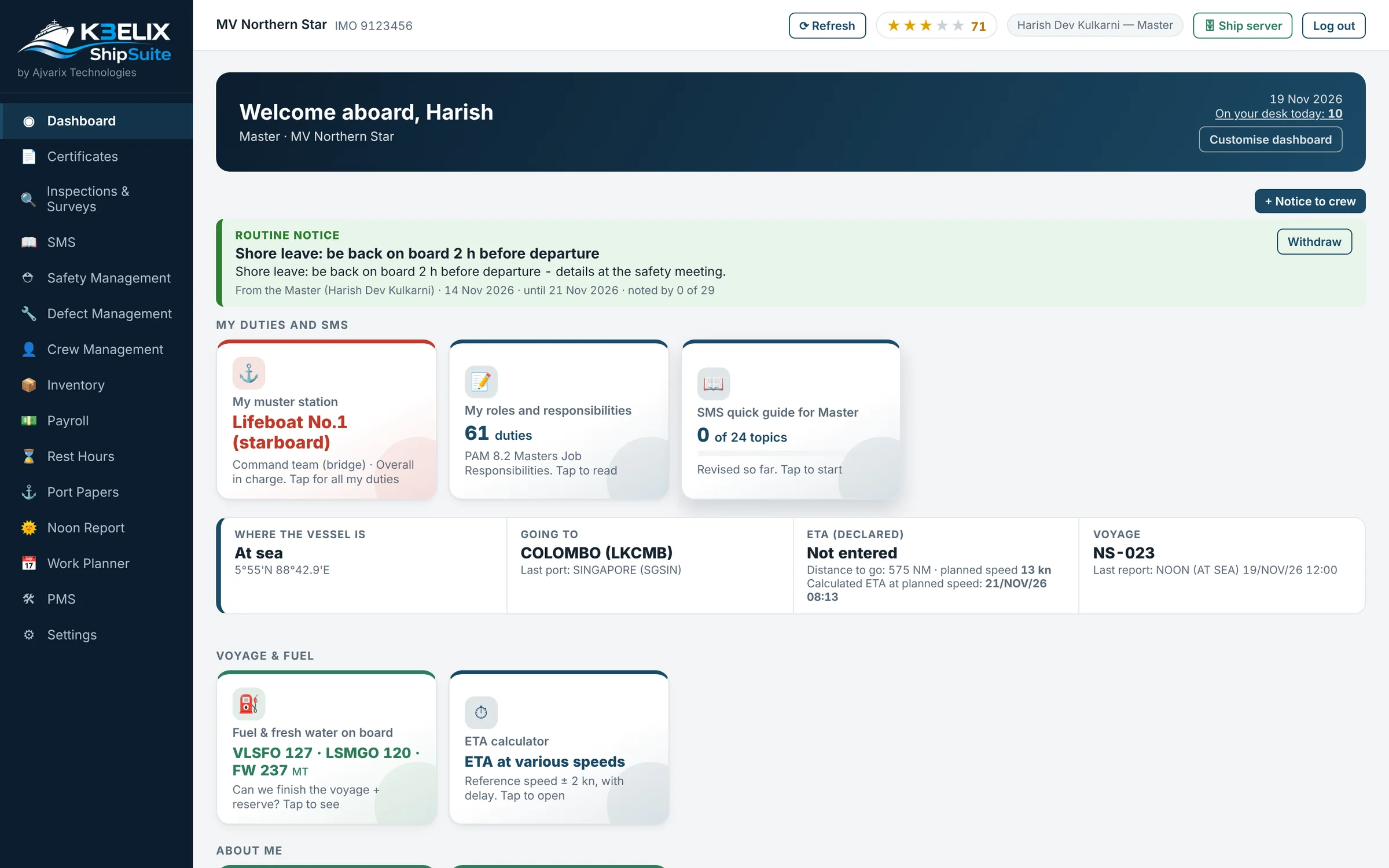
Crew, certificates, rest hours, maintenance and safety, on the ship's own computer. No internet needed.
1.0 Crew
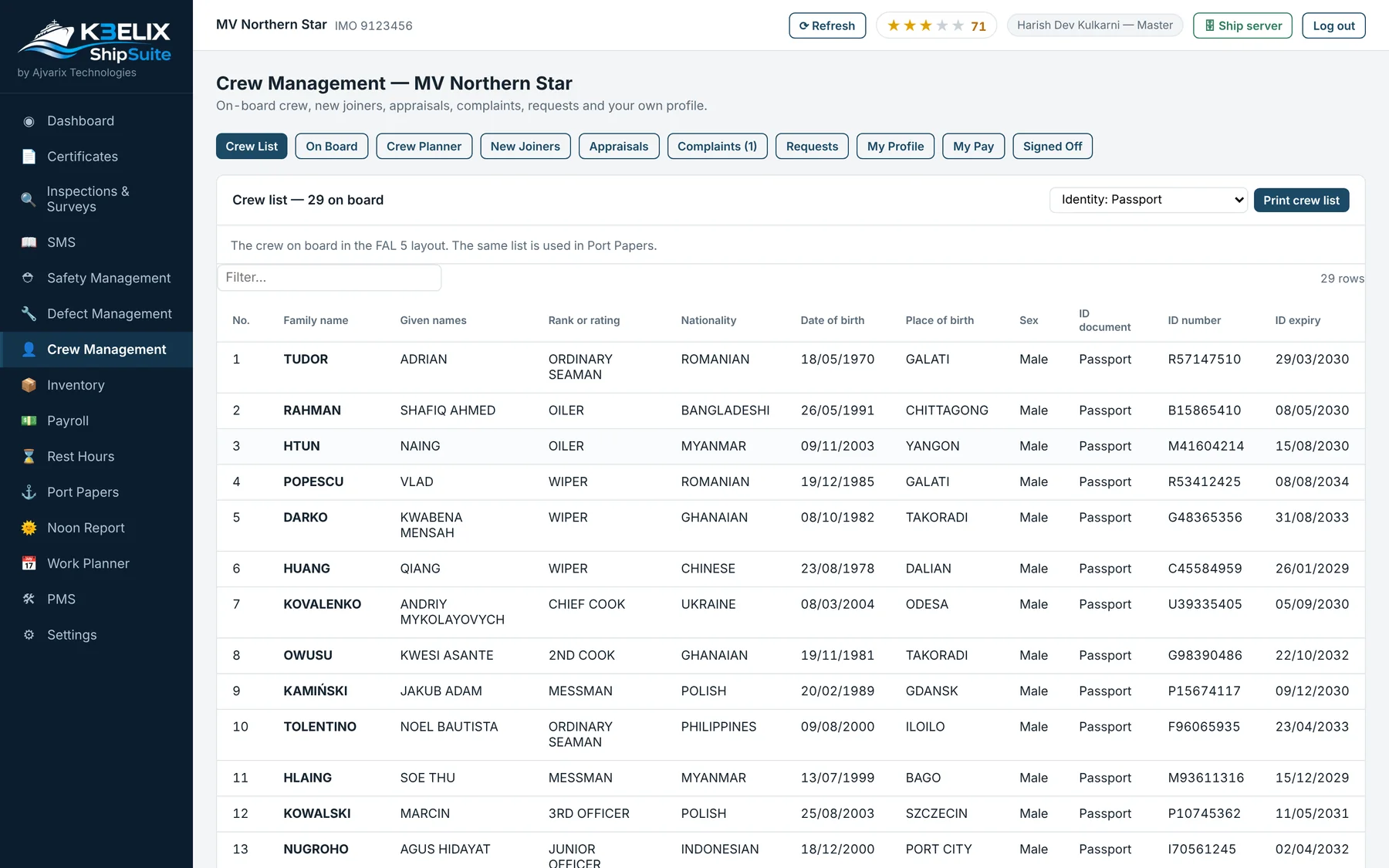
The crew list, ready for port.
Everyone on board in one list, in the FAL 5 layout. The same list is used for the port papers, so nobody types it out again.
Joiners arrive with their papers
A joiner chosen in the office reaches the ship with his details and document copies.
Changes reach the office
Sign-on, sign-off and appraisals made on board appear in the office by themselves.
Requests and complaints
Crew planner, appraisals, complaints and requests sit in the same place.
2.0 Rest hours
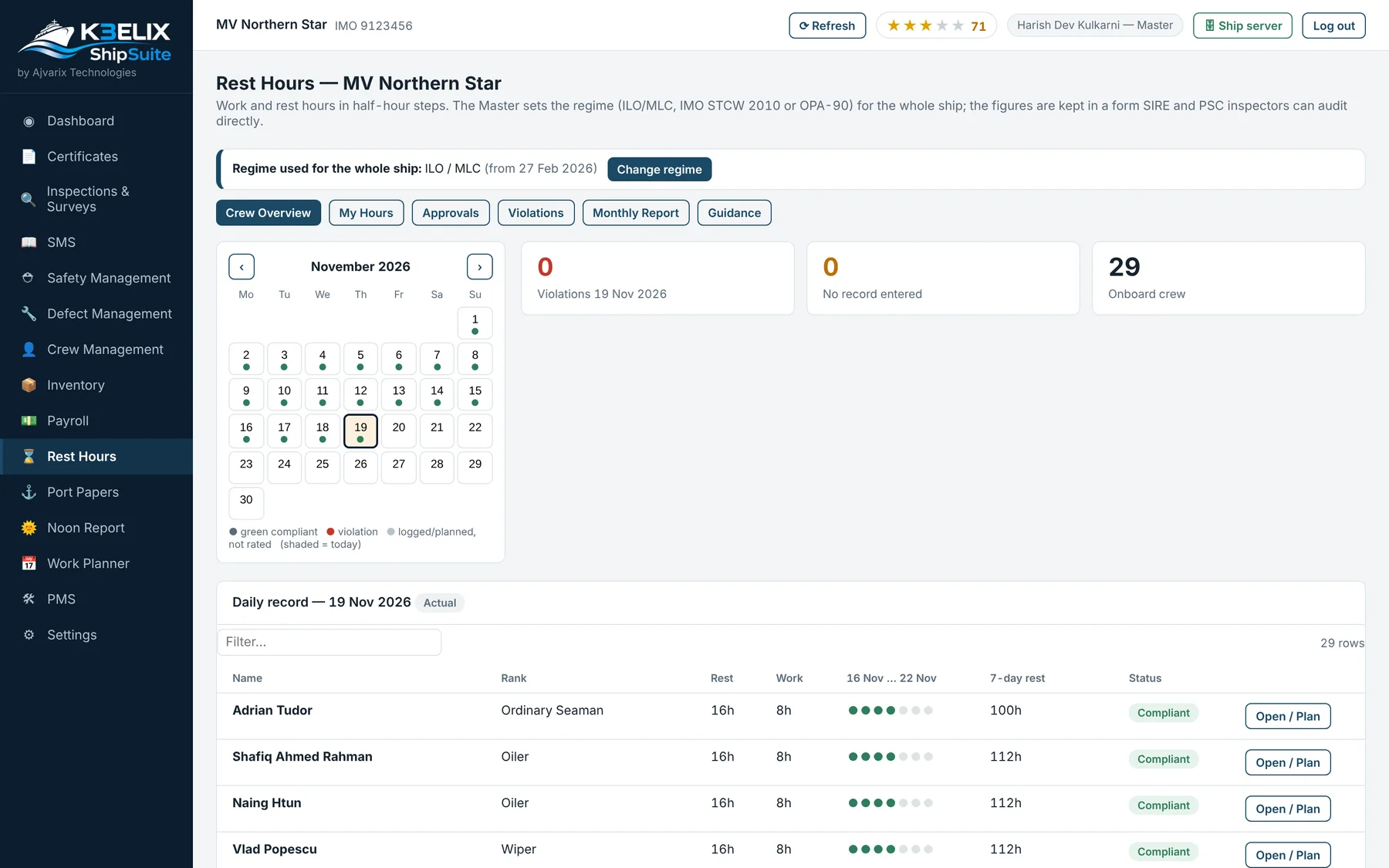
Rest hours in half-hour steps.
The Master sets the rules for the whole ship: ILO/MLC, IMO STCW 2010 or OPA-90. Every day's work and rest is kept, ready for an inspector to look at.
Violations shown
Days that break the rules are marked so they are seen at once.
Approvals
Hours are checked and approved on board.
Monthly report
A monthly report for each person.
3.0 Change log
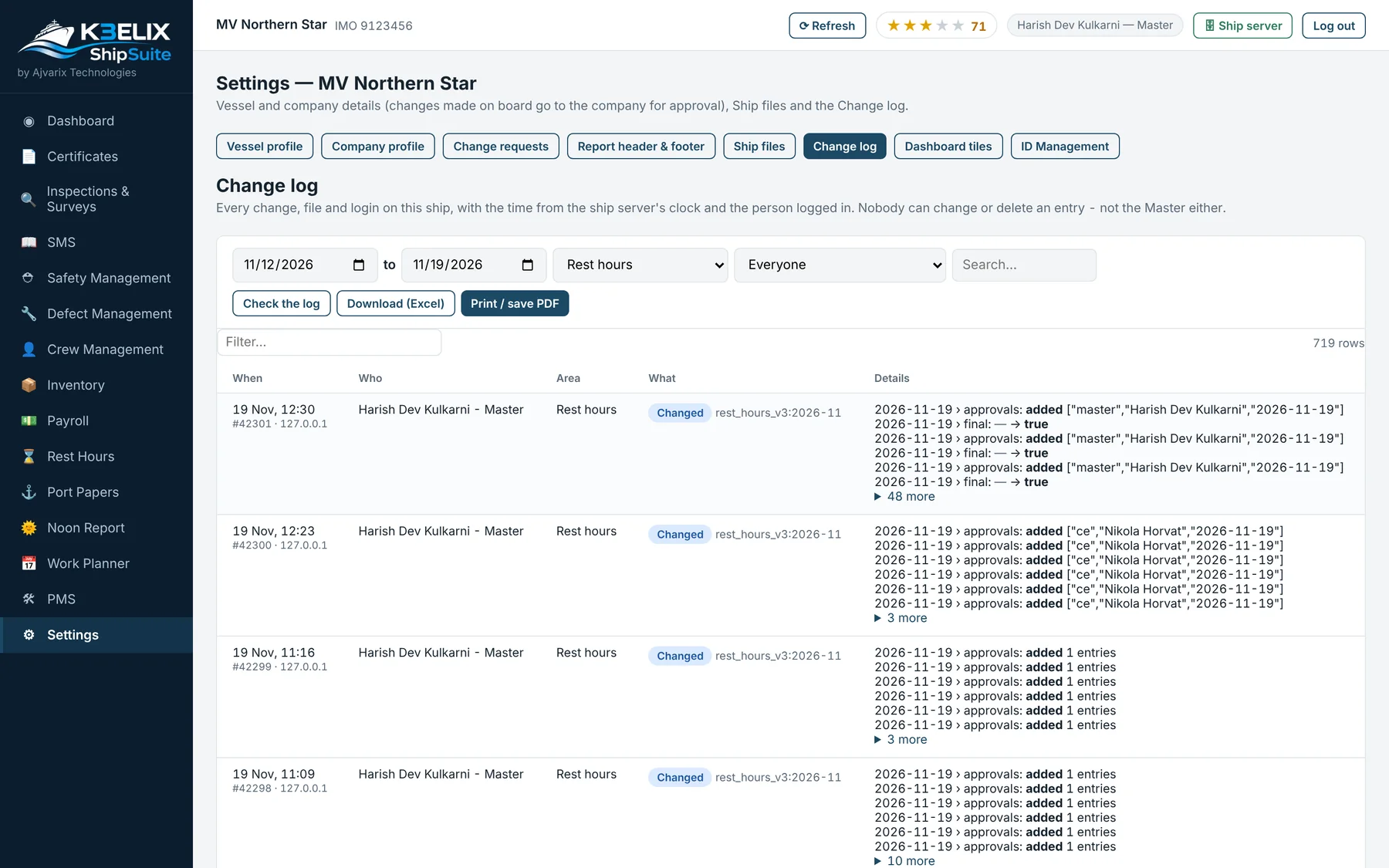
Nobody can rewrite the record.
Every change is recorded with who and when. Nobody can edit or delete an entry, not even the Master, and a check shows if anyone tried.
Check the log
One button checks that no entry has been touched.
Filter and export
Filter by date, area or person, then download or print.
Ship's clock
Times come from the ship's server, not each computer.
4.0 On a phone
Every seafarer has his own page.
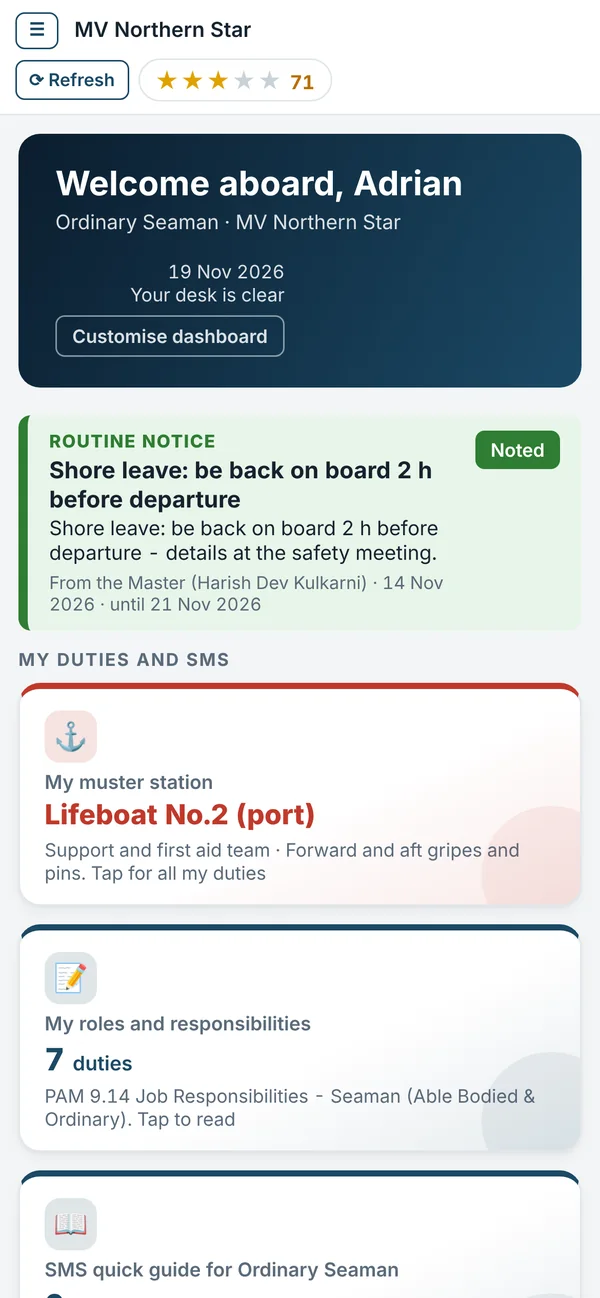
On his phone, each seafarer sees his own page: notices from the Master, his muster station, his duties and his pay.
5.0 Also in ShipSuite
Everything the ship runs on.
All of these are in ShipSuite today, on the same computer and with the same log-in.
Certificates
Ship and crew certificates with their expiry dates.
Maintenance (PMS)
Planned maintenance for the ship's equipment.
Defects
Defects reported, followed up and closed.
Inventory and stores
What is on board and what is needed.
Payroll
On-board pay for the crew.
Safety and SMS
Safety management and the SMS quick guide.
Inspections and surveys
Kept in one place, ready for the next one.
Port papers
Built from the same crew list.
Noon reports
Position, voyage and fuel, reported from the ship.
Work planner
The day's jobs, planned on board.
6.0 At sea
Works without internet.
ShipSuite runs on the ship's own computer, so it keeps working at sea.
On the ship's computer
No internet needed to work.
Sealed packs
Reports to the office and back travel as small sealed packs whenever there is a connection, or on a USB stick.
Backups
A backup every 4 hours, and one before every update.
See it for yourself.
Explore a working demo of K3ELIX ShipSuite and FleetSuite, with sample data.