

Every ship.
One office view.
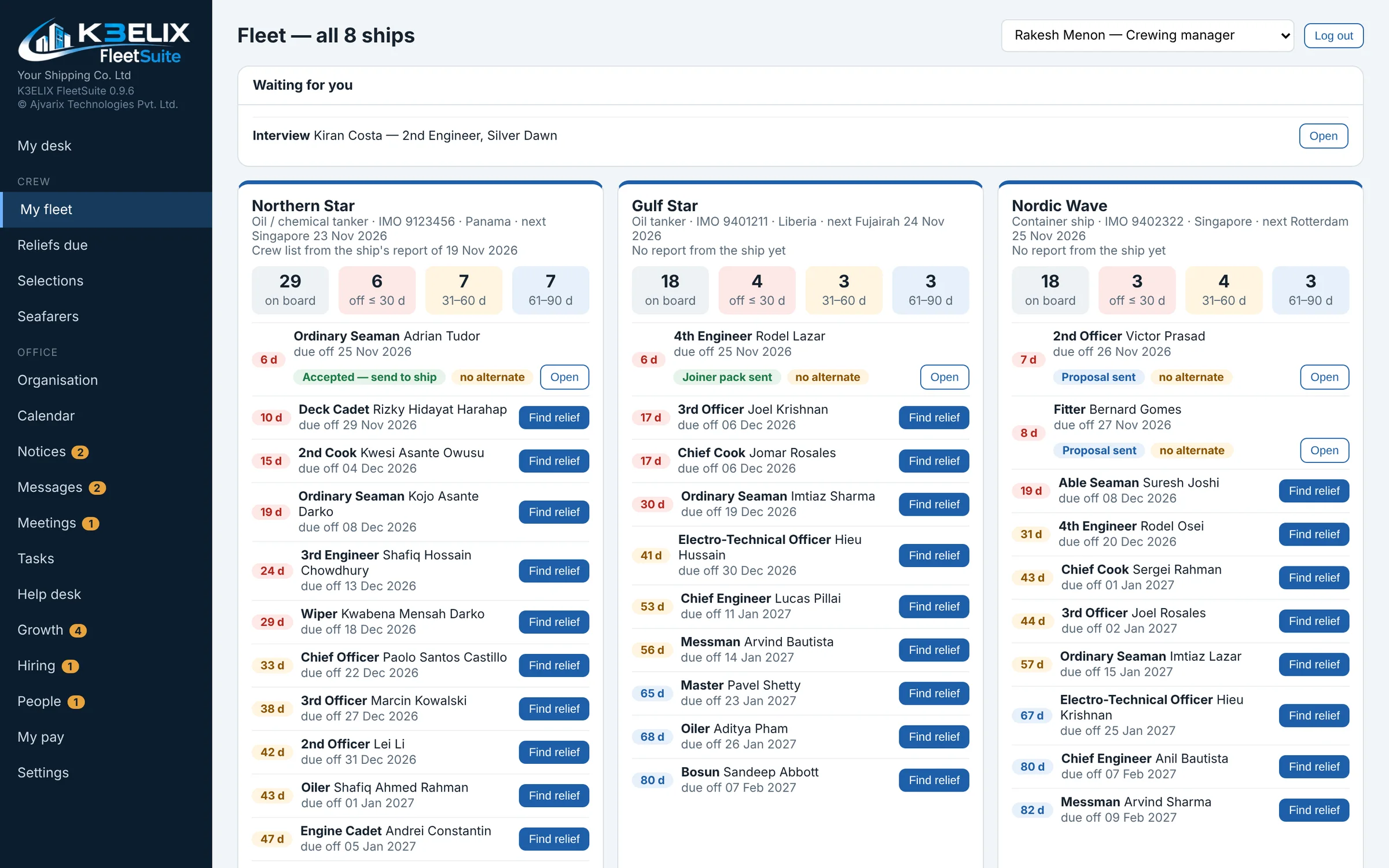
Crew on board, reliefs due, selections, approvals, HR and pay for the whole fleet.
1.0 Reliefs
A relief, step by step.
From the first choice to the day he signs on, everyone in the office sees the same status, and the ship's sign-on closes it by itself.
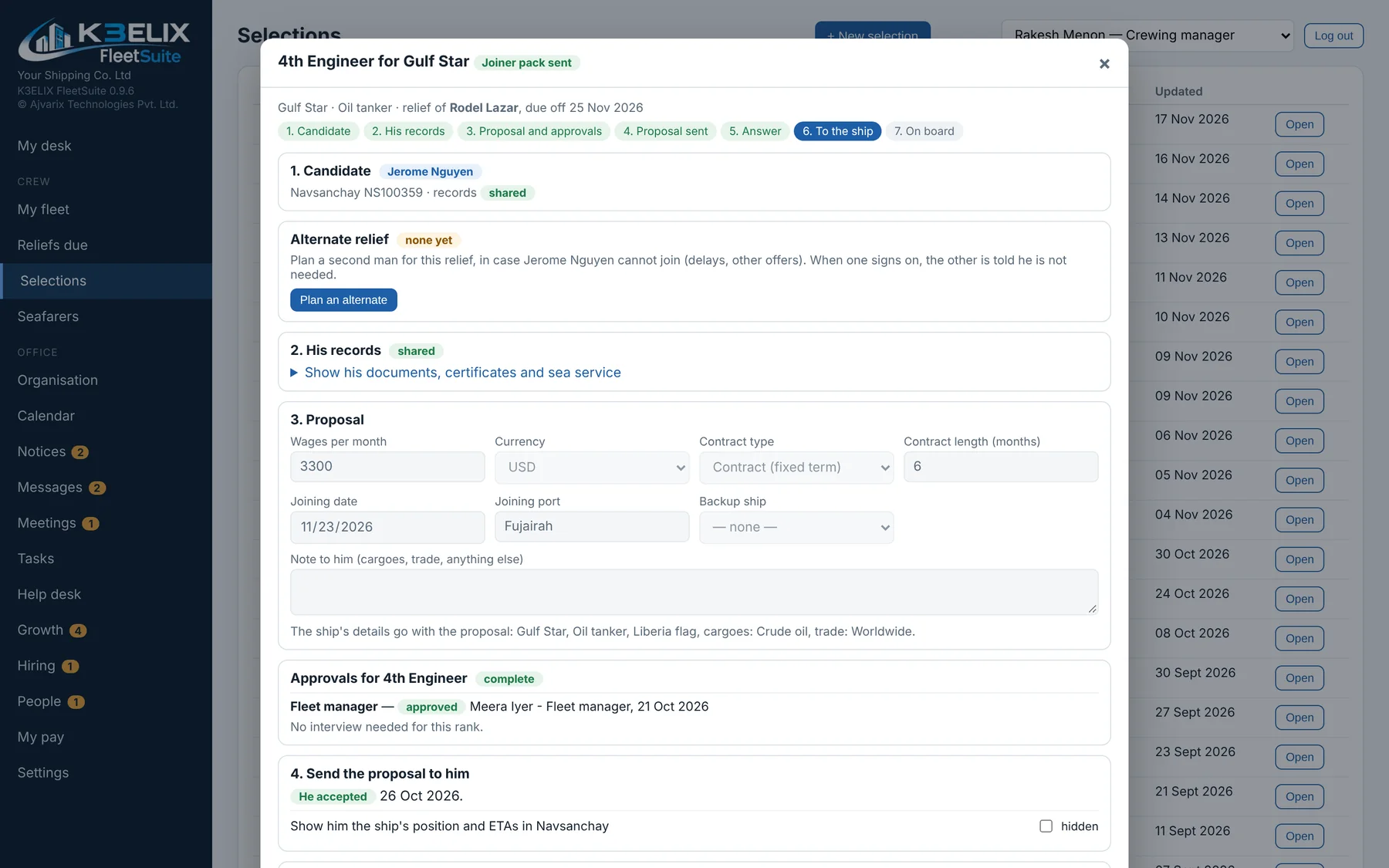
Seven clear steps
Candidate, his records, proposal and approvals, proposal sent, answer, to the ship, on board.
Approvals built in
The approvals each rank needs are part of the steps.
A back-up man
Plan an alternate in case the first choice cannot join.
2.0 Seafarers
One record for every seafarer.
His documents, certificates and sea service in one place, with expiry dates. The crew list from each ship arrives by itself.
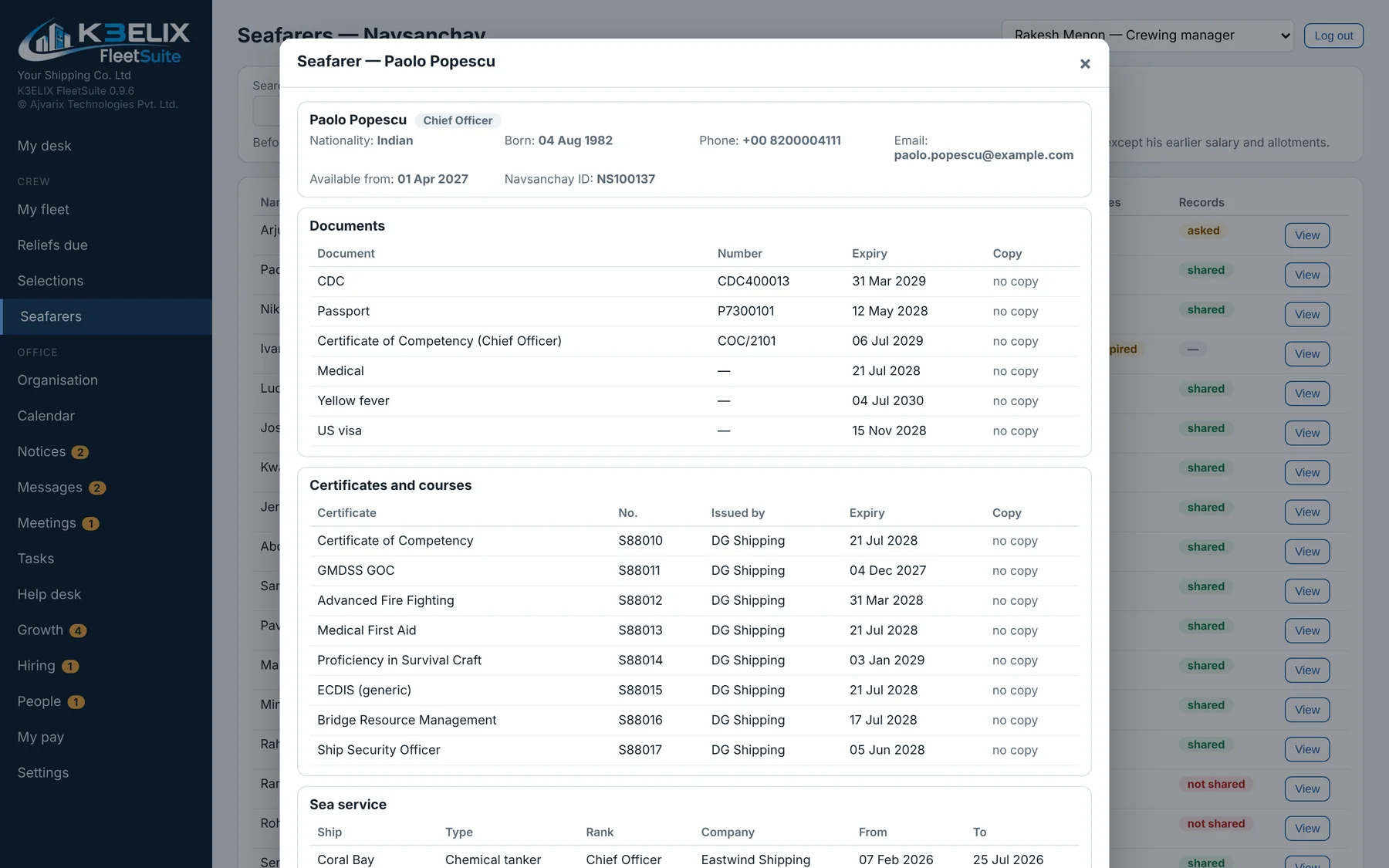
Documents
Passport, CDC, medicals and visas, with expiry dates.
Certificates and courses
Every certificate in one list.
Sea service
Ship, type, rank, company and dates.
3.0 Also in FleetSuite
The office side of the fleet.
All of these are in FleetSuite today.
My fleet
Every ship with crew on board and reliefs due.
Reliefs due
Who is due off, and when.
Selections
Candidates for each relief.
Approvals
Who approved what, and when.
Organisation
The office and its people.
Calendar, notices and messages
What the office needs to know today.
HR
Office staff records.
Office pay
Pay for the office team.
4.0 Safe
Backed up every day.
FleetSuite keeps a backup every day on the office computer, and one before every update.
Daily backups
Kept on the office computer.
Before updates
A backup is taken before every update.
Joined to the ships
Crew lists from the ships arrive as small sealed packs.
See it for yourself.
Explore a working demo of K3ELIX ShipSuite and FleetSuite, with sample data.